




Windows x86 / x64 | Auto Activation | Multilingual | AIO | All 2021 & 2024 Packages
Microsoft Office Professional Plus 2021-2024 VL v2605 Build 20026.20140 LTSC AIO Multilingual Auto Activation [FTUApps]
Microsoft has officially announced the availability of the final version of its Office 2024 release for Windows and Mac users. Following the release of the preview version in the first half of this year, the product has been refined and is now available to users. Office 2024 includes updated versions of apps from the suite, Word, Excel, PowerPoint, Outlook, Access, and Publisher.
Office 2021/2024 includes virtually every change that has been added to the suite of programs in Office 365 over the past 3 years, although some features remain exclusive to subscribers. In addition to the main programs Word, Excel, PowerPoint, and Outlook, which are available for both Windows and macOS, the Access and Publisher versions are only available for Windows and are included, as usual, only in premiums. Visio and Project for Windows are also available, although they are not part of the ongoing release of Office.
Microsoft Office 2021-2024 includes:
– Microsoft Office 2021-2024 Professional Plus
– Microsoft Access 2021-2024
– Microsoft Excel 2021-2024
– Microsoft Lync 2021-2024
– Microsoft OneNote 2021-2024
– Microsoft Outlook 2021-2024
– Microsoft PowerPoint 2021-2024
– Microsoft Publisher 2021-2024
– Microsoft Visio Viewer 2021-2024
– Microsoft Word 2021-2024
– Microsoft Visio pro 2021-2024
– Microsoft Project 2021-2024
– Skype for business 2021-2024
– OneDrive for Business 2021-2024
– Office Shared Features
– Profing Tools Only 2021-2024
– And many more
Languages:
– Arabic
– English
– German
– Greek
– French
– Spanish
– Italian
– Portuguese-Portuguese
– Portuguese-Brazil
– Turkish
– Dutch
– Czech
What’s New:
– https://learn.microsoft.com/en-us/officeupdates/current-channel
Operating System:
– Works on 32bit & 64bit base system
– Dual-core processor, 1.6 GHz or faster
– 2.0 GHz + for Skype for Business
– 2 GB of RAM for 32bit and 4 GB of RAM for 64bit;
– 4.0 GB of free disk space
– Screen resolution 1280 x 768 or higher
– Windows 10, Windows 11, Windows Server 2019 and above
– Requires DirectX 9 or higher, with WDDM 2.0 or higher for Windows 10
– Internet access is not required. Activation – Internet-based or telephone-based, and KMS or MAK for enterprises!
-: Activation: Cured KMS/MAK inside installer package, Just install and Enjoy! :-
Files Inside The ISO:

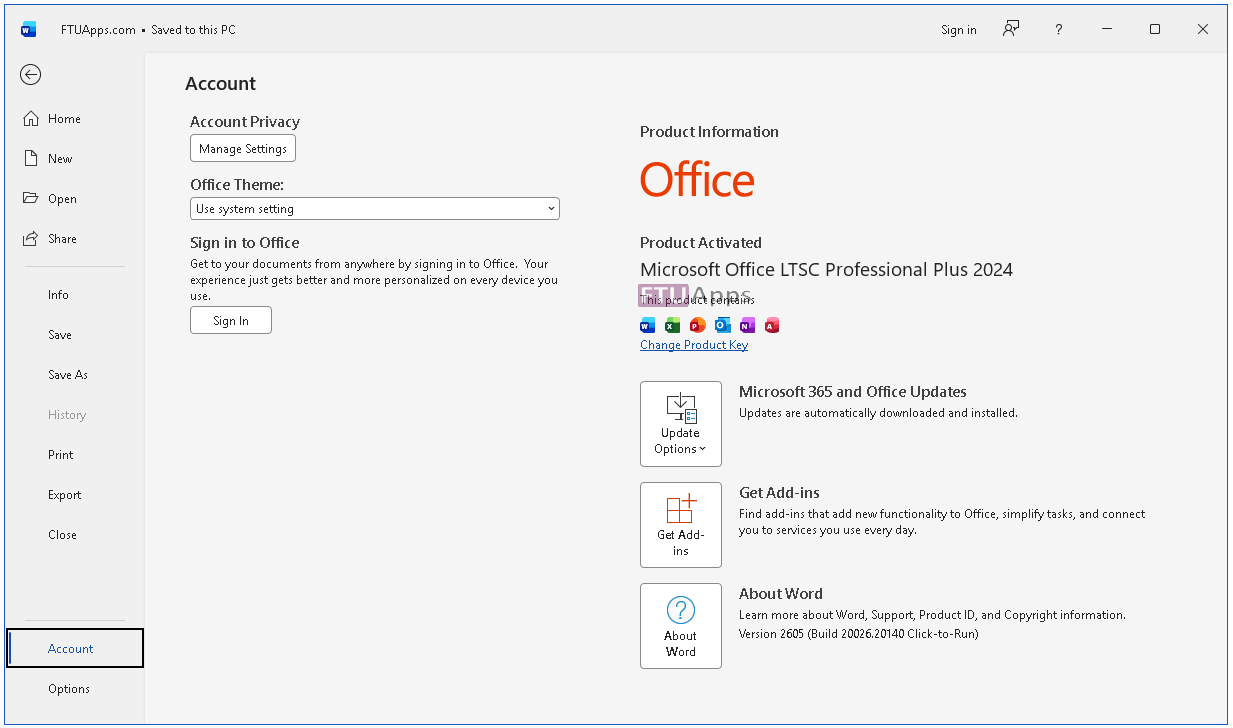
Screenshots:
Homepage: https://www.microsoft.com/
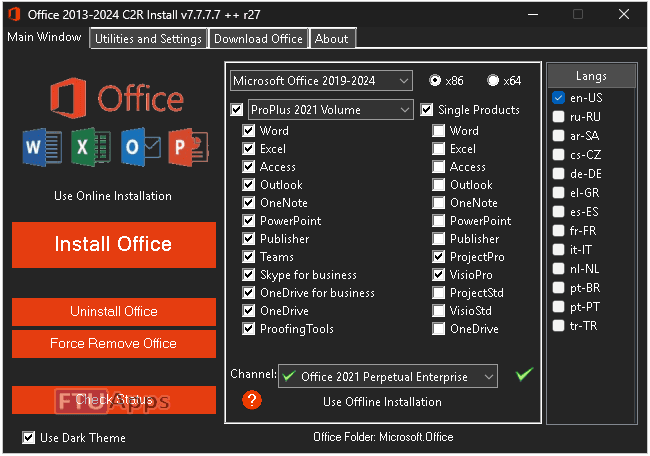
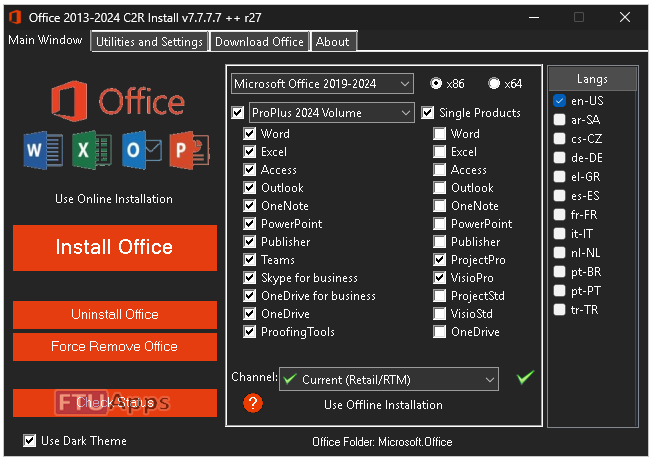
Run OInstall, Select Package, Install, Enjoy! / Brief Instruction is Included in the folder!

– Read the False-Positive Infection guidance on web, get knowledge before making noise!
Size: 6.32GB






After successful installation can I sign in into my Microsoft account?
Yes, you can!
Hi – I installed this about a month ago. All fantastic. But… A couple of days ago I started getting warnings from MS and now they’ve given me a few days to regularise the package. I’m going to uninstall and start again. Obviously I can’t block the whole thing from going online (eg Outlook), but is there anything I should try and block – eg an auto-updater??
Well, if you could get the option on installer, to untick the updates, it will never check updates, even if you update you can use the same installer to activae the program, and never worry about the MS alert, it has nothing to do to you, ignore that alert and continue using it.
Hi – Thanks for the quick reply. All understood, but when this happened with a previous installation, as soon as the countdown finished, although the program carried on working, I was prevented from creating new documents/emails. The alert says I now have 3 days to activate, so I’ll carry on using it and see what happens. I can always uninstall and reinstall. I’ll let you know what happens at the end of the week. BTW if there is a a “No Update” option, I always select it. I don’t remember if there was one in this case.
As per previous message. The countdown clock on the warning message ran out yesterday and I can now no longer create any new documents or edit existing ones. I’m about to reinstall, but it would be good to know if there’s anything else I can block to prevent this happening again.
No need to re-install, just run that OInstall, and tick the tool you’ve on to, and start it, it will overwrite activation on existing apps, also, you can update the Office via the same installer and it will activate it along.
I did that, but it still says Not Registered and I cannot edit or create documents. (have tried Word and Outlook.
FTU Check Status returns :
“The Software Licensing Service reported that the product could not be activated using the Key Management Service (KMS).”
Which sounds like bad news.
I then uninstalled using Oinstall tools and started again. The result is exactly the same. as above.
Suggestions/Next steps please
Uninstall? No man, chose, Force Remove office, do it, then restart pc, then install again, and come back to tell me, you will get successful.
Hi – I had done the Force Remove before, but didn’t restart. Now all looks OK. Thanks very much for all the help!! Last question: Should I disable updates, or doesn’t it matter?
It doesn’t matter whether you allow updates or keep them disabled, for good experience, allow updates, and good to go 🙂
Cheers!
Can I activate this through massgrave script
how do i get the free onedrive for business to work
It have one drive, install among the package, or else get it from MS store.
satisfied
Can you add more than 10 email addresses in Outlook yet?
sad to see publisher will end support on october plus office 2024 does support it
Hi, i am unable to install this on windows 11, after mounting/extracting the image file Oinstall.exe dosent do any thing, nothing happs when i doubble click it, i have disablled my AV before execution as well. tried redownloading but same error. Am running windows 11 pro 23H2
Not sure about 23h2, but Windows 10 Pro 22h2, Windows 11 24h2 Ent x64, tested on both, there is no such issue.
Hello sir, when i start to mount the iso and to start the program Oinstall.exe, its not opened, why? i repeat again many times still not openend/start the install program.
download the MS Office which before still same, but when i download in other sites is working fine. please help, coz its auto activation.
thank u very much
Make sure your AV did not catch the .exe because it have KMS-Auto built-in, that might causing the issue.
Tip: Before extraction, rename the folder’s title, make it short and then mount.
Activation steps pls, mine is still showing not activated
Inside the folder, I have added .txt file, read it and trust me, just explorer the internet and point me whomever made that easy and proper instructions to install any application ever!
Thanks. It works smoothly.
Hi, when I launch the install app it reprts 30029-44 error. How can I fix it? Thank you
is it okay after installing the microsoft office, i turn on the antivirus? how?
Yes, and you can exclude the .exe or folder via AV and rest!
Hi.
How to switch to x64 version?
Does not allow me to check/choose 64-bit version for 64-bit system.
You have nothing to chose or set anything for x64 operating system, Just run installer and make your product choice and install, that’s all.
It’s supported to both x64 whether x86 operating system!