



Online Office Installer Included | Multilanguage-38 | 17in1 | x64 | Multi-OEM | Security Updates Enabled | PreActivated | July 2026
Windows 10 AIO 22H2 Build 19045.7417 [Multi-OEM] (x64) Multilingual-38 Pre-Activated JULY 2026 [FTUApps]
The Windows 10 Business Editions Version 22H2 (Updated October 2025) ISO is the final official release of Windows 10, In this release integrating all cumulative and security updates until October 2029. This is the last major Windows 10 release of 2026. In this release, All Security Updates are enabled until 2029.
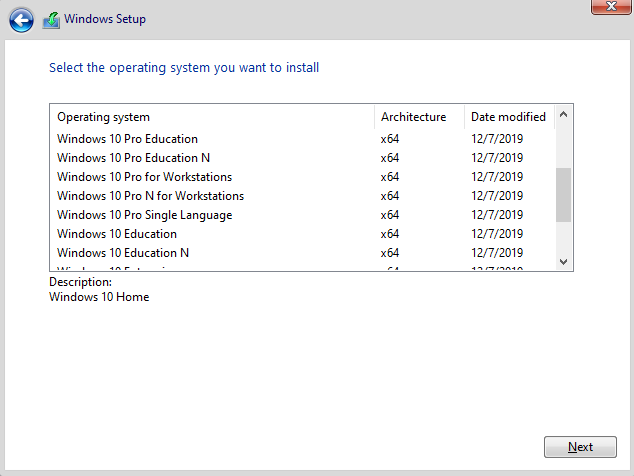
Editions Includes:
1. Windows 10 Home
2. Windows 10 Home N
3. Windows 10 Pro
4. Windows 10 Pro N
5. Windows 10 Team
6. Windows 10 Home Single Language
7. Windows 10 Pro Education
8. Windows 10 Pro Education N
9. Windows 10 Pro for Workstations
10. Windows 10 Pro N for Workstations
11. Windows 10 Pro Single Language
12. Windows 10 Education
13. Windows 10 Education N
14. Windows 10 Enterprise
15. Windows 10 Enterprise N
16. Windows 10 Enterprise for Virtual Desktops
17. Windows 10 IoT Enterprise
General Information:
Release Date: 09 June 2026
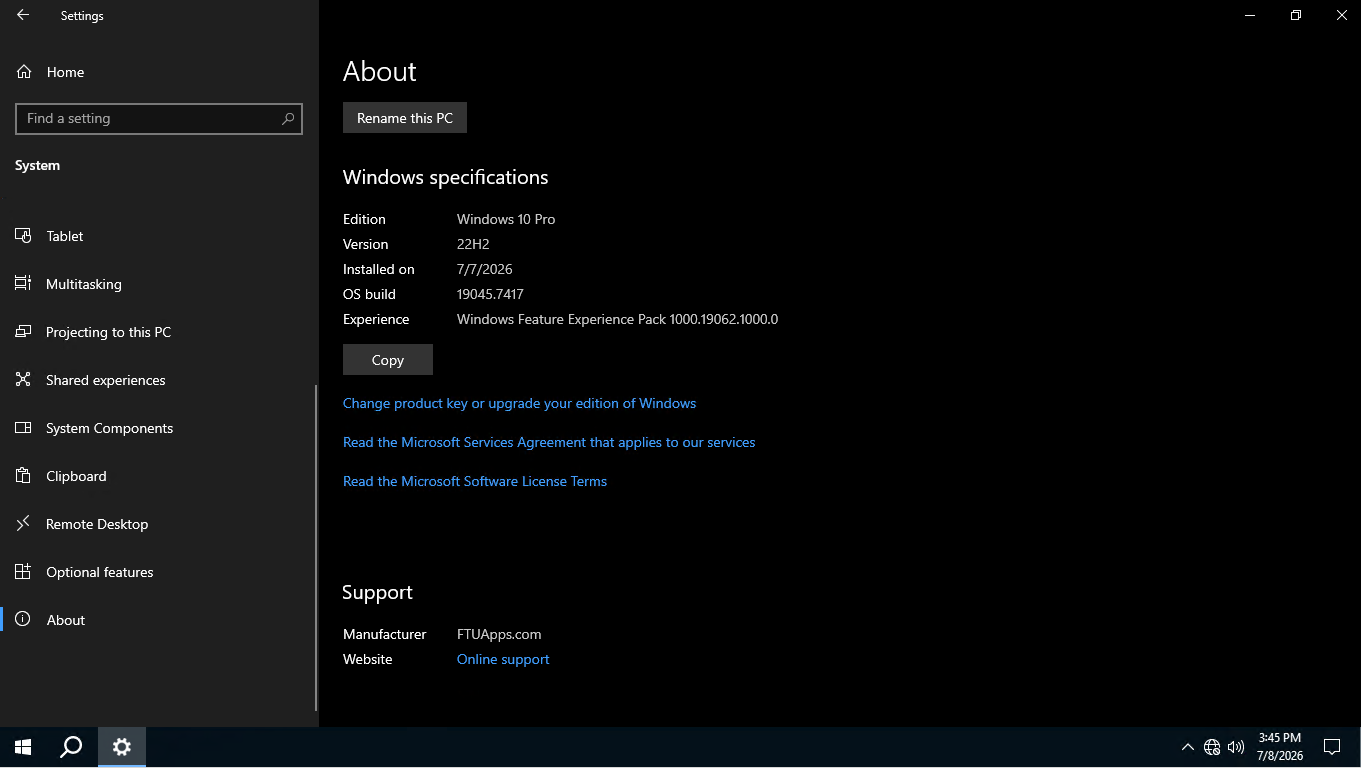
Version: 22H2
Build: 19045.7417
Editions: 17In1
ESU Enabled: Updates can be enrolled till 2029
Treatment: Cured/PreActivated
Tweaks: Office Installer added, Activation script applied, Original Microsoft ISO — no further modifications.
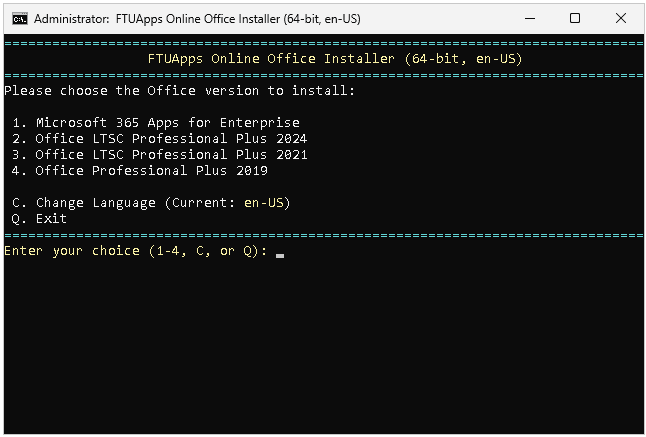
About Online Office Installer Batch File: (Placed On Desktop):
File Size: 25KB
Interface Language: English
Languages: Multilingual, 50 languages (Select language as per your need)
Office Editions: Multi-Editions (Microsoft 365, Office Pro Plus LTSC 2019, 2021, 2024)
System Architecture: x86/x64 (Compatible to 32bit/64bit)
Treatment: Cured, Just install
Instructions: Included Into Folder!
Credit: FTUApps Home Release!
Notes: Online office installer file is optional, if you want Office, use the batch file, or else wipe it.
What’s New:
– https://support.microsoft.com/en-us/topic/june-9-2026-kb5094127-os-builds-19045-7417-and-19044-7417-bf1073f3-e317-40ac-94c7-4c23c080c7cf
– Online Office installer Batch file added on desktop to install Microsoft 365 apps, Office pro plus LTSC 2019, 2021, 2024.
– All updates of 08th July 2026 included.
Languages:
– Arabic (Saudi Arabia)
– Bulgarian (Bulgaria)
– Chinese (Simplified, Mainland China)
– Chinese (Traditional, Taiwan)
– Croatian (Croatia)
– Czech (Czechia)
– Danish (Denmark)
– Dutch (Netherlands)
– English (United Kingdom)
– English (United States)
– Estonian (Estonia)
– Finnish (Finland)
– French (Canada)
– French (France)
– German (Germany)
– Greek (Greece)
– Hebrew (Israel)
– Hungarian (Hungary)
– Italian (Italy)
– Japanese (Japan)
– Korean (Korea)
– Latvian (Latvia)
– Lithuanian (Lithuania)
– Norwegian Bokmål (Norway)
– Polish (Poland)
– Portuguese (Brazil)
– Portuguese (Portugal)
– Romanian (Romania)
– Russian (Russia)
– Serbian (Latin, Serbia)
– Slovak (Slovakia)
– Slovenian (Slovenia)
– Spanish (Mexico)
– Spanish (Spain, International Sort)
– Swedish (Sweden)
– Thai (Thailand)
– Turkish (Türkiye)
– Ukrainian (Ukraine)
Features:
– Boot Mode: UEFI or Legacy BIOS
– .Net framework 3.5 ready.
Image size and CRC:
Image Size: 8.20 GB (8,807,383,040 bytes)
Image MD5 sum: 8f8163b59526dd0e8a04ba204ed8f04c
Image SHA1 sum: 5c6eb4a4f369c223206b2ed148919ed5128157e7
System Requirements:
– Processor: 1 gigahertz (GHz) or more.
– RAM: 1 gigabyte (GB.).
– Free space on hard disk: 25 gigabytes (GB.).
– Graphics adapter: graphics device Microsoft DirectX 9 or higher.
– Additional requirements for using some features.
– Touch capabilities require a tablet or monitor that supports multi-touch technology.
– To access the Windows Store to download and run apps, you need an active internet connection and a screen resolution of at least 1024 x 768 pixels.
Files Inside The ISO:
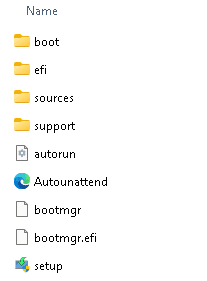
Screenshots:





Online Office Installer Interface:
Homepage: http://www.microsoft.com
Create Bootable USB and Boot Up / Instruction is Included in the folder!

Size: 8.20GB


-:: HOW TO DOWNLOAD TORRENT ::-
Click DOWNLOAD BUTTON Above, and you will see a tiny Pop-up saying > Allow Magnet Link < Click > Choose Application < > Click > Open Link > your default torrent client will start, now press OK and wait for the finish!
![Windows 11 Home 26H1 Build 28000.2269 Insider Preview Multi-OEM [TPM-Bypassed] (x64) Multilingual-38 Pre-Activated JULY 2026](https://ftuapps.farlad.com/wp-content/uploads/2025/11/Windows-11-26h1-logo-300x300.png)
![Windows Server 2025 24H2 Build 26100.32995 Multi-OEM [6in1] (x64) Multilingual-38 Pre-Activated JULY 2026](https://ftuapps.farlad.com/wp-content/uploads/2026/07/Windows-Server-2025-Logo-300x300.png)
![Windows 11 AIO 25H2 Build 26200.8737 Multi-OEM [TPM-Bypassed] (x64) Multilingual-38 Pre-Activated JUNE 2026](https://ftuapps.farlad.com/wp-content/uploads/2025/11/Windows-11-AIO-logo-300x300.png)
Greetings, thank-you so much for the update, take care
I think you are Fantastic I’ve just found you and I’m not going to lose you. Thank You…
Thanks. It worked perfectly…. 🤍
Thanks guys you are really at work
thank u so much…
TNX for that but how can i remove/edit the ftuapp user/brand from iso ???
Yes, if you don’t like it, lolz, it won’t hurt if you keep it 😀
i installed office but when i try to open word it says, “sorry, something went wrong and word was unable to start.” kindly help
Re-install it
Greetings, thank-you so much for the update, take