



Online Office Installer Included | TPM Bypassed | Multi-OEM | 10in1 | MultiLanguage-38 | x64 | June 2026 | PreActivated
Windows 11 AIO 25H2 Build 26200.8737 Multi-OEM [TPM-Bypassed] (x64) Multilingual-38 Pre-Activated JUNE 2026 [FTUApps]
Windows 11 25H2 update installation package is 40% smaller than the previous version. Another improvement coming with the version is the Windows shared servicing branch. This capability applies the same technology used for the monthly update process to the annual feature updates.
TPM, Secure Boot, CPU, RAM, Storage, UEFI Bypassed!
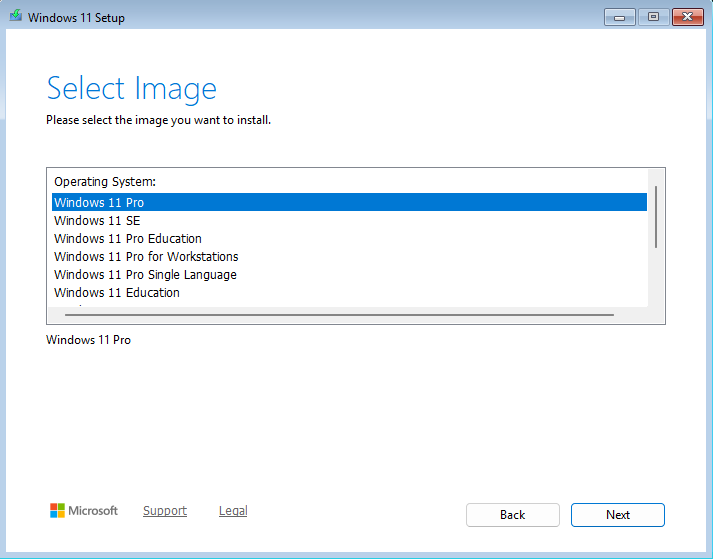
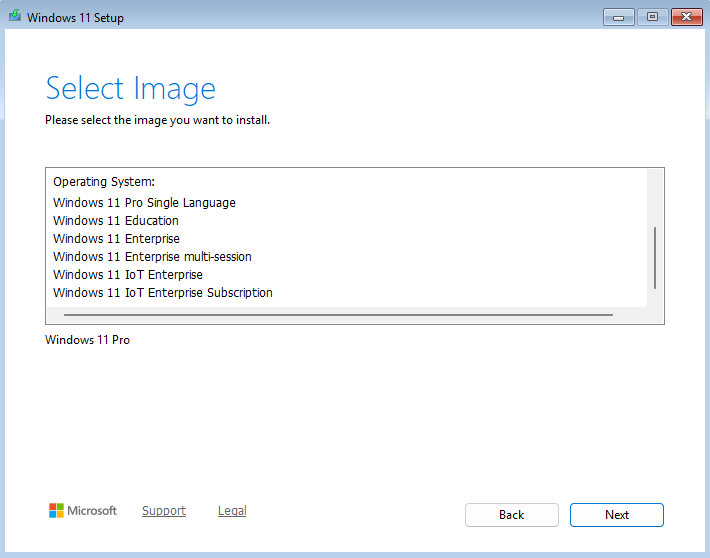
Editions Includes:
1. Windows 11 Pro
2. Windows 11 Enterprise
3. Windows 11 IoT Enterprise
4. Windows 11 IoT Enterprise Subscription
5. Windows 11 Enterprise Multi-session
6. Windows 11 Education
7. Windows 11 Pro Education
8. Windows 11 Pro Single Language
9. Windows 11 Pro for Workstations
10. Windows 11 SE
General Information:
Release Date: 23rd June, 2026
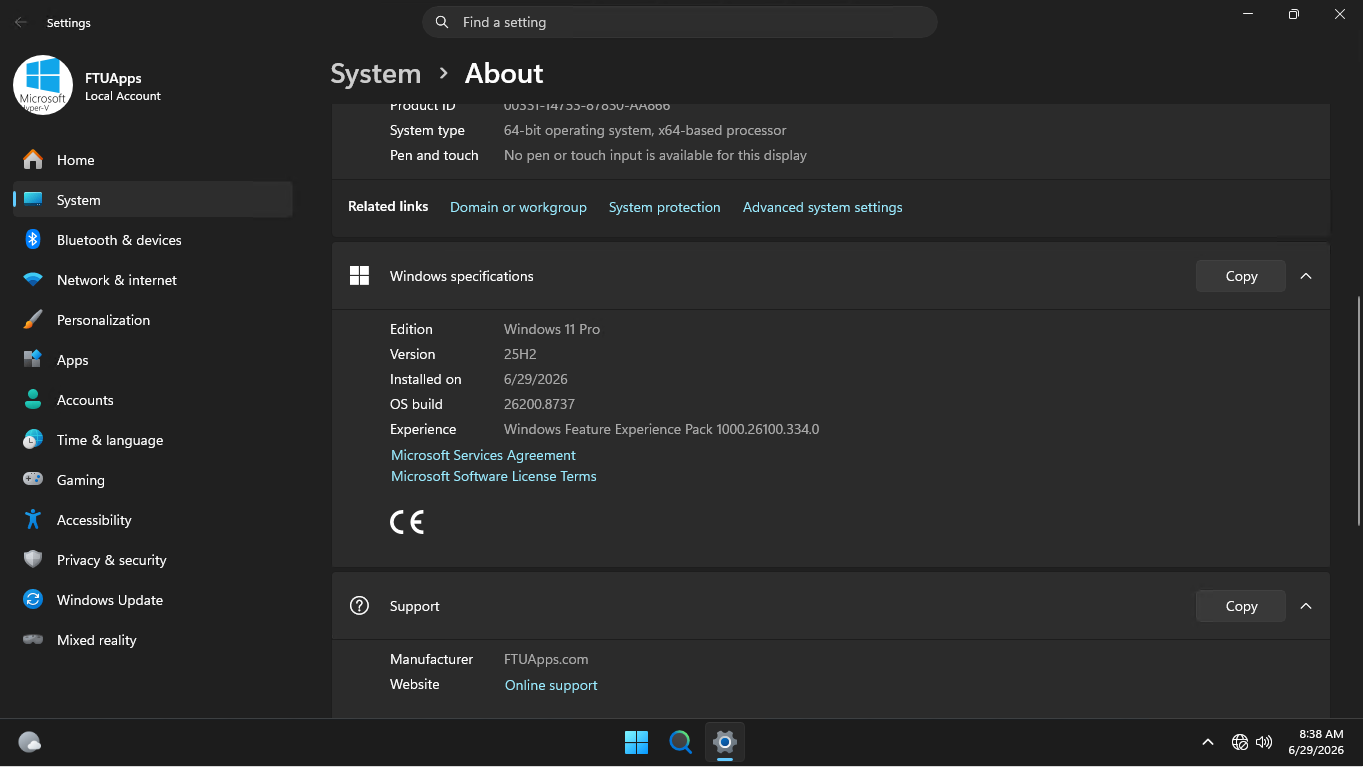
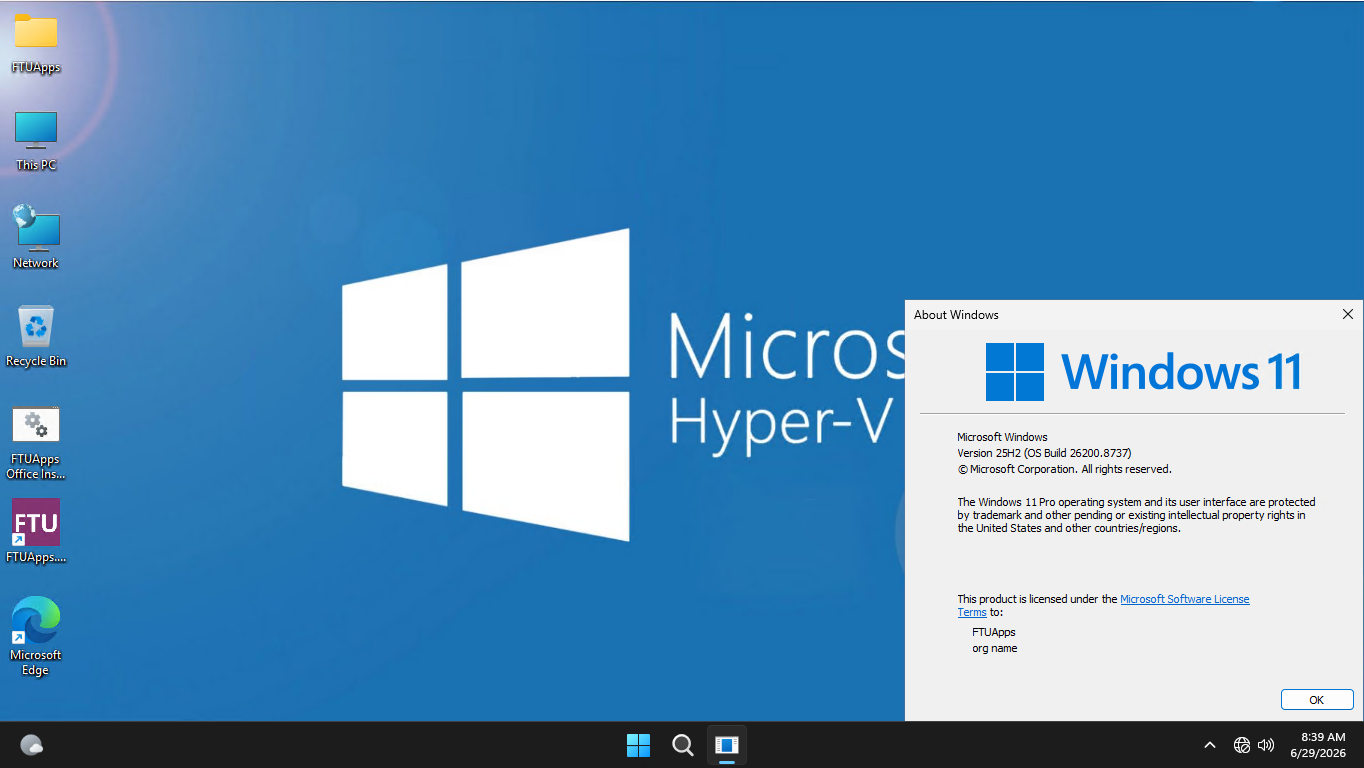
Operating System: Windows 11
Version: 25H2 (Stable)
Build: 26200.8737
Editions: Multi, 10in1 Edition
Features: Multi-OEM
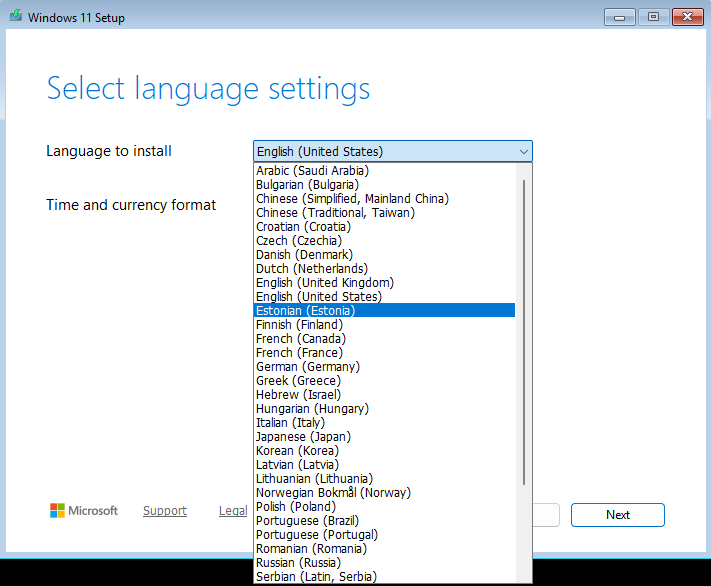
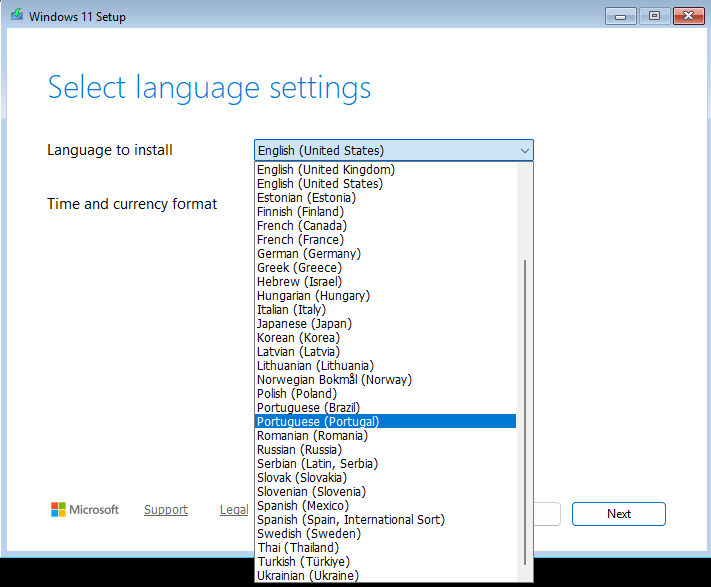
Languages: 38 languages (Multilingual)
Treatment: Cured/PreActivated
Tweaks: Office Installer added, Activation script applied, Original Microsoft ISO — no further modifications.
Upgrade Functionality: YES/Run Win11 RequirementBypass.cmd.
TPM/RAM/Storage/Account/UEFI: Bypassed
TPM 2.0: Bypassed *Works on both supported and unsupported PCs*
About Online Office Installer Batch File: (Placed On Desktop):
File Size: 25KB
Interface Language: English
Languages: Multilingual, 50 languages (Select language as per your need)
Office Editions: Multi-Editions (Microsoft 365, Office Pro Plus LTSC 2019, 2021, 2024)
System Architecture: x86/x64 (Compatible to 32bit/64bit)
Treatment: Cured, Just install
Instructions: Included Into Folder!
Credit: FTUApps Home Release!
Notes: Online office installer file is optional, if you want Office, use the batch file, or else wipe it.
Languages:
– Arabic (Saudi Arabia)
– Bulgarian (Bulgaria)
– Chinese (Simplified, Mainland China)
– Chinese (Traditional, Taiwan)
– Croatian (Croatia)
– Czech (Czechia)
– Danish (Denmark)
– Dutch (Netherlands)
– English (United Kingdom)
– English (United States)
– Estonian (Estonia)
– Finnish (Finland)
– French (Canada)
– French (France)
– German (Germany)
– Greek (Greece)
– Hebrew (Israel)
– Hungarian (Hungary)
– Italian (Italy)
– Japanese (Japan)
– Korean (Korea)
– Latvian (Latvia)
– Lithuanian (Lithuania)
– Norwegian Bokmål (Norway)
– Polish (Poland)
– Portuguese (Brazil)
– Portuguese (Portugal)
– Romanian (Romania)
– Russian (Russia)
– Serbian (Latin, Serbia)
– Slovak (Slovakia)
– Slovenian (Slovenia)
– Spanish (Mexico)
– Spanish (Spain, International Sort)
– Swedish (Sweden)
– Thai (Thailand)
– Turkish (Türkiye)
– Ukrainian (Ukraine)
What’s New:
– https://support.microsoft.com/en-us/topic/june-23-2026-kb5095093-os-builds-26200-8737-and-26100-8737-preview-0e2a20f2-cf9e-46f8-9f08-e6996220882d
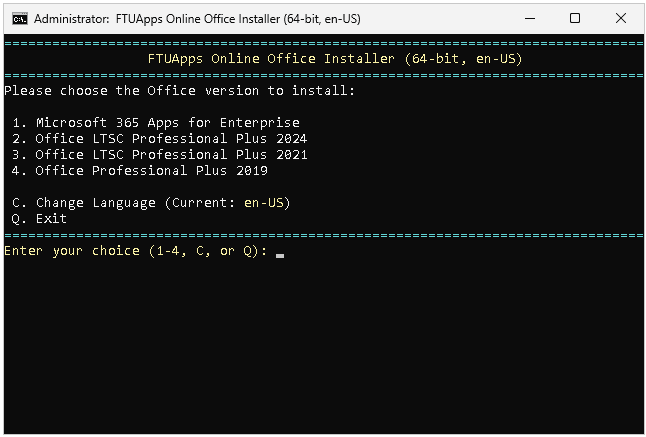
– Online Office installer Batch file added on desktop to install Microsoft 365 apps, Office pro plus LTSC 2019, 2021, 2024.
– Updates includes of 29th June 2026
System Requirements:
– Processor: 2 gigahertz (GHz) or faster.
– RAM: 2 gigabyte (GB.).
– Free space on hard disk: 25 gigabytes (GB.).
– Graphics card: DirectX 9 graphics device or a newer version.
– Additional requirements to use certain features.
– To use touch you need a tablet or monitor that supports multitouch.
– To access the Windows store to download and run apps, you need an active Internet connection and a screen resolution of at least 1024 x 768 pixels
Image size and CRC:
Image Size: 8.71 GB (9,361,227,776 bytes)
Image MD5 sum: b4f2c026225ce326e30f60e5f1f3393e
Image SHA1 sum: b70cb3ddcb927fcc6f3e43445d6afea1c4684f70
Files & Folders Inside The ISO:
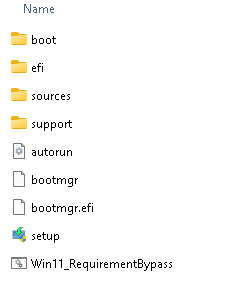
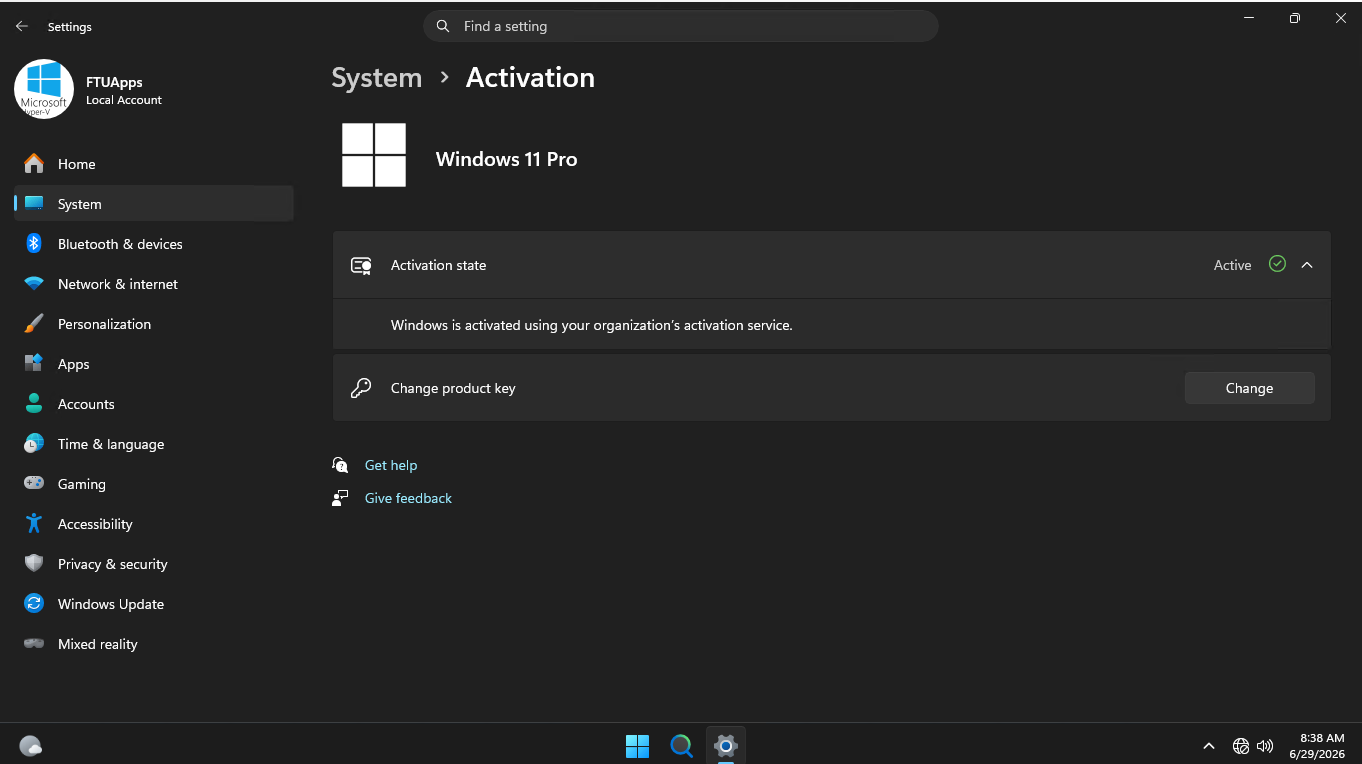
Screenshots:
Online Office Installer Interface:
Homepage: http://www.microsoft.com
Create a Bootable USB and Boot Up / Brief Instruction is Included in the folder!

Size: 8.71GB


-:: HOW TO DOWNLOAD TORRENT ::-
Click DOWNLOAD BUTTON Above, and you will see a tiny Pop-up saying > Allow Magnet Link < Click > Choose Application < > Click > Open Link > your default torrent client will start, now press OK and wait for the finish!
![Windows 10 AIO 22H2 Build 19045.7417 [Multi-OEM] (x64) Multilingual-38 Pre-Activated JULY 2026](https://ftuapps.farlad.com/wp-content/uploads/2025/11/Windows-10-Office-logo-300x300.png)
![Windows 11 Home 26H1 Build 28000.2269 Insider Preview Multi-OEM [TPM-Bypassed] (x64) Multilingual-38 Pre-Activated JULY 2026](https://ftuapps.farlad.com/wp-content/uploads/2025/11/Windows-11-26h1-logo-300x300.png)
![Windows Server 2025 24H2 Build 26100.32995 Multi-OEM [6in1] (x64) Multilingual-38 Pre-Activated JULY 2026](https://ftuapps.farlad.com/wp-content/uploads/2026/07/Windows-Server-2025-Logo-300x300.png)
thanks a ton it mean alot keep it up the great work u r doing
Why is this iso branded ?
“Nothing changed ? Nothing added ?”
It’s not branded, it is just mentioned under the general info, because we did not add or cut nay feature/program from the image, it’s same as untouched, what we have done is, added activation script and 38 languages packs, all the features and programs that come along by MS are untouched. I hope that helps to understand ”why” Have a nice day!
Can we have an iso without “FTUApps” user and pc brand ?
Thanks !
You can change it, and these are our untouched Home releases, that’s why we made them this way, what seems hard to you?.
Sir Windows 10 AIO 22H2 build 19045.6456 plz…
On its way….will be soon!
thanks in advance…
is office included or we should download separately
Installer is Placed at Desktop, run it and install the version you need. By the way, every single thing has been described on page and inside the Folder, and you on earth still asking for it. Weird though.
Hi Admin,
could you please make an iso with only windows 10 & 11 pro with office only english language with latest update
Thank for the App..My question is any way I can install without log with Microsoft count. Thank you in advance..
Yes, online account bypassed, did you not read the description and detail? we made it easy to understand already!
Both Windows 11 Pro and Microsoft Office LTSC Pro Plus 2024 installed correctly. However, in System > Activation, it says: “Your Windows Volume license activation will expire on Tuesday, December 1, 2026. Please take action to renew it.” Is there a solution for this problem? Should I use one of the activators you posted before?
(Also, in your Rufus cross check graphic, the Partition Scheme should be GPT, not MBR.)
Thank you.
Yes, you can use any Activator or Script to activate the OS.
And GPT is not for all users, that’s why, there are different kinds of choices so, for beginners GPT is there. By the way thanks for input!
can any one guide me how to install it?
If you mean how to install the OS? YouTube might help you, or Google it, and you will see the bunch of articles to install OS.
In case you mean how to download the .torrent?. It’s simple, click the large DOWNLOAD button and if you see any ad pops-up, ignore it, click again, and you will prompt to download the torrent via your default torrent client.
Good luck!