



64bit | Multilingual | RePack
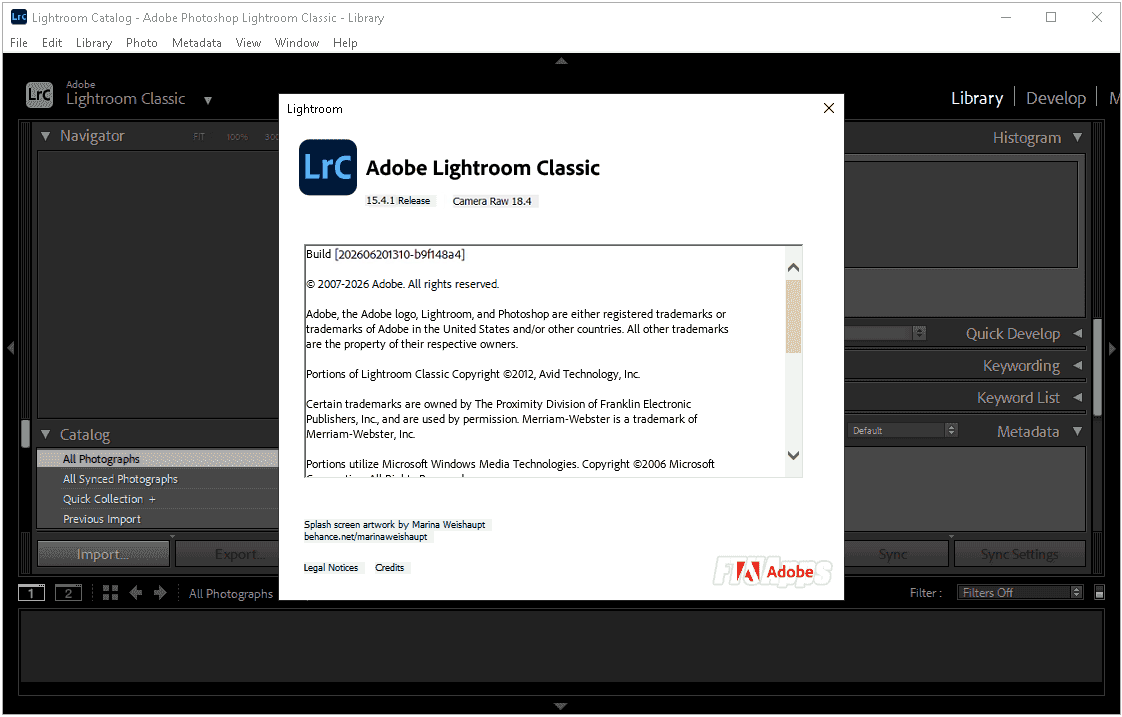
Adobe Lightroom Classic 2026 v15.4.1.1 (x64) Multilingual Pre-Activated [FTUApps]
Adobe Photoshop Lightroom Classic, Edit and organize your photos with the app that’s optimized for desktop. Lightroom Classic gives you powerful one-click tools and advanced controls to make your photos look amazing. Easily organize all your photos on your desktop, and share in a variety of ways.
Benefits of the Adobe Lightroom Classic:
– Culling:
Quickly select the best frames from a large set of images using the Culling feature. This feature is currently in early access.
– Auto-Selection:
Easily group images by time and visual similarity. You can also use the “Selection” filter in the Attributes panel.
– Dust Removal
Quickly find and remove spots caused by dust on your camera sensor or lens.
– Performance improvements
Achieve significant performance improvements with a smoother, faster, and more accurate user experience when performing interactive editing tasks.
– Zoom while cropping
You can now zoom in while cropping an image for the best selection.
– Leica tethered shooting support
Lightroom Classic now supports tethered shooting for Leica cameras.
– Color Tolerance
Fine-tune the overall tone and color of your photo using the Tolerance slider in the Spot Color tool.
List of changes made:
– The assembly is based on the standalone Adobe installer version 6.10.0.252.3, which is not available to the general public.
– The Adobe Desktop Common module, which was required to be installed by the original installer, has been removed from the installer except for the bare minimum.
– The Adobe Creative Cloud module, which was required to be installed by the original installer, has been completely removed from the installer.
– The installer provides a choice of installation path and program interface language, as well as the ability to launch the program immediately after installation is complete.
– During installation, a video carousel is launched in the installer window, demonstrating the program’s capabilities.
– Unlocked the ability to install the program on computers with a processor that does not support Advanced Vector Extensions 2 (AVX2) instructions.
– Unlocked the ability to install the program on Windows 10 / 11 earlier versions.
– The Adobe Lightroom Classic core module has been updated to version 15.4.1.202606201310.
– The Adobe Genuine Service spyware module will be removed if it was previously installed with other Adobe programs.
– The Log Transport Application, CRLog Transport Application, and Adobe Crash Processor spyware modules are disabled.
– The program has already been cured. After authorization, you can use the “Maps” module and some other online services.
General Information:
Year of Release : 2026
Version : 15.4.1.202606201310
Developer : Adobe
Platform : Windows x64
Interface language : English / Dutch / Spanish / Italian / Chinese (simplified) / Chinese (traditional) / Korean / German / Norwegian / Polish / Portuguese (Brazil) / Russian / Thai / French / Swedish / Japanese
Treatment: Cured/PreActivated
What’s New:
– https://helpx.ad0be.c0m/lightr00m-classic/help/whats-new.html
System Requirements:
– 64-bit version of Microsoft Windows 10 (version 22H2) / Windows 11 (version 23H2 or 24H2) ; 64-bit version of Microsoft Windows 10 / 11
– Intel or AMD processor with a clock speed of at least 2 GHz, with support for SSE 4.2 and AVX2 ; without AVX2
– 8 GB RAM (16 GB recommended)
– 8 GB of free hard disk space (additional free space is required during installation); SSD recommended
– 2GB DirectX 12-capable graphics card (4GB recommended for 4K displays or higher; 8-16GB for maximum GPU acceleration and AI support)
– 1024×768 resolution (1920×1080 or higher recommended)
– Internet connection and registration required to access online services
Files Inside The .ISO:
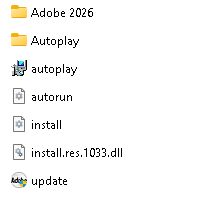
Install with admins right & Enjoy, No activation is required / Brief Instruction is Included in the folder!

– Read the False-Positive Infection guidance on web, get knowledge before making noise!
Size: 3.15GB


-:: HOW TO DOWNLOAD TORRENT ::-
Click DOWNLOAD BUTTON Above, and you will see a tiny Pop-up saying > Allow Magnet Link < Click > Choose Application < > Click > Open Link > your default torrent client will start, now press OK and wait for the finish!




Thank you for this sharing
It shows me a permanent message in red. This program without liscense will be soon deactivated. Go to adobe´s original programs with special discounts today
Ignore it, that’s just let you buy, use driver host to block adobe’s ping.
Could you tell me how to do that?. I know where the hosts file is, but I don’t know how to block Adobe.
Thanks!
Kindly, search on Google how to Block adobe using driver host, you will get tutorial, just follow it and enjoy!
I did that, but now lightroom ask for internet and after that shutdown.
Follow instructions as told, the app was tested, see the screenshot, wipe it permanently, if you had previous version installed or this, keep your AV disabled to avoid it eat crack, after download install and exclude the app, that’s it. (Block app via firewall if required)
how to download from the site. Because Iam unable to find the download button anywhere
Click >> How To Download >> Available on the site header And see how it works.
Direct link: https://ftuapps.farlad.com/how-to-download/
After extracting the bin files with autoplay the installation page didn’t appear, i installed other adobe app and everything work perfectly except this Lightroom, please help.
Who on earth told you to extract the bin? We managed it by building bin for package and left installer alone. So people just run it and that’s it. Run the installer mate.
i didn’t extract it manually, what i meant to say is that i run the installer and the installer said extracting after it finish the app didn’t get installed.
Hey, when I want to use my presets it tells me that it needs to download masking files and I should wait. Nothing gets downloaded. Any chance to fix it? Thanks
Deleting with generative AI worked a few weeks ago. Now it doesnt. Any solution?.
THANKS!
Hi, I really appreciate your work as lightroom is one of the best but also pretty greedy when it comes to their prices. Thanks to u, I can do my creative work freely, but the only problem so far is when app I apply my editing preset, it gives me a “Some masking models are downloading, please try again later” But the progressbar stays at 0% Please help me me find the files so I can patch it up or do your magic. I think it’s trying to connect to adobe servers to download but it can’t….for this specific feature I am unable to batch edit hundreds of photos
Brilliant move splitting these into bins.
I’ve had a few problems recently where the master collection files can’t be copied using a flash drive, probably because of Fat32 formatting. Using an old system m.2 with a USB enclosure fixed that. Using this bin file method pretty much guarantees that problem won’t exist for this installer.
And sure enough, it installed without a hiccup. Running great right now.
Thanks FTU Team.