32bit / 64bit | English | Run & Play
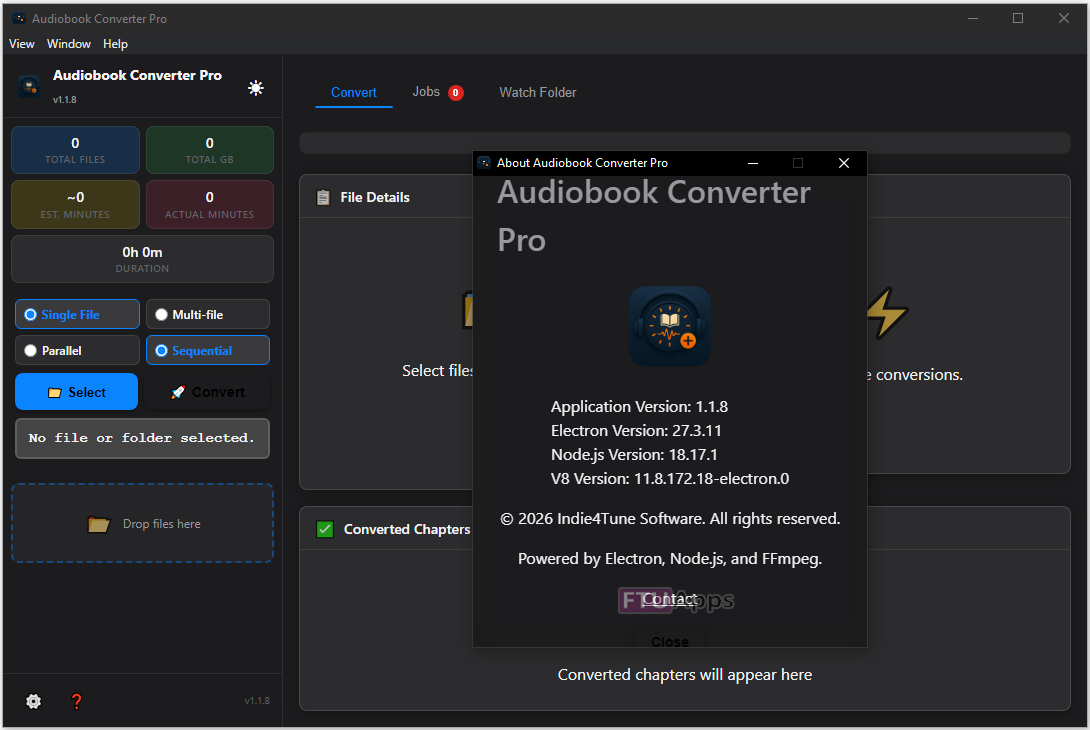
Audiobook Converter Pro v1.1.8 English Portable [FTUApps]
Are your M4B audiobooks locked to one app? Audiobook Converter Pro breaks that lock — convert any M4B to MP3, AAC, or FLAC and listen anywhere, the way you want.
Why it works for serious listeners
Most M4B converters either destroy your chapter structure, strip your cover art, or crawl through a 20-hour book one chapter at a time. Audiobook Converter Pro was built to avoid all three — with high-speed parallel conversion, metadata preservation, and intelligent chapter handling for both modern and older audiobooks.
Parallel Processing — Convert 8 Files and 4 Chapters at Once
Set your own parallel limits. Convert a whole shelf of audiobooks while you sleep. Up to 8 M4B files running simultaneously, each splitting up to 4 chapters in parallel.
NEW: Intelligent Chapter Detection for Markerless Audiobooks
Some audiobooks do not contain embedded chapter markers. Audiobook Converter Pro can now analyze long pauses and intelligently infer chapter breaks automatically.
Chapter-by-Chapter, File-by-File
Every chapter becomes a properly named, individually navigable file. Or choose Single File mode to merge the entire book into one continuous track. Your preference, saved.
Smart Quality — Including Lossless Passthrough
Choose from 128kbps through 320kbps MP3, AAC, or lossless FLAC. If your source M4B is already high-quality AAC, the app detects it automatically and copies the audio stream without re-encoding — zero quality loss and dramatically faster conversion.
Bitrate Transparency
See exactly what the app is doing during conversion with labels such as:
* “Transcoding (128 → 192 kbps)”
* “AAC Passthrough — no re-encode needed”
Cover Art Preserved Automatically
Your audiobook artwork is extracted from the M4B and re-embedded into every output file. Your media library keeps its covers.
Redesigned Queue & Sidebar Experience
The refreshed interface now displays:
* Full album artwork for single-file conversions
* Multi-cover grid previews for batch conversions
* Improved conversion stats in a clean colour-coded layout
File Naming Templates
Organise your library exactly how you want. Use token-based templates.
Recursive Folder Scanning
Drop a folder — not individual files. The app scans recursively and queues every M4B it finds.
NEW: Watch Folder Automation
Automatically monitor folders for incoming audiobooks.
Features:
* Convert M4B audiobooks to MP3, AAC, or FLAC — listen on any device or player
* Split by chapters into individually named files, or merge into one continuous track
* Batch convert entire audiobook collections — drag a folder to queue all M4B files
* Up to 8 files and 4 chapters converted simultaneously with configurable parallel limits
* Smart AAC passthrough — if the source audio is already high quality, no re-encoding needed
* Cover art extracted from M4B and embedded into every output file automatically
* Audio quality from 128kbps up to 320kbps MP3 or lossless FLAC
* File naming templates using metadata tokens: {Album}, {Artist}, {TrackPadded}, {ChapterTitle}
* Choose your own output folder — organise your library exactly as you prefer
* Conversion history panel — every batch logged with status, duration, and chapter counts
* Windows notifications when a batch completes — click to open the output folder
* Metadata preserved: title, author, album, chapter markers, and cover art
* Dark and light themes with a retro-accented, distraction-free interface
* Real-time per-chapter progress with bitrate and audio strategy details
What’s New:
* Silence-based chapter detection for audiobooks without embedded chapter markers
* Fast Adaptive Scan and Maximum Accuracy Scan modes
* Scan progress and confidence guidance during chapter analysis
* Configurable pause-detection sensitivity
* Watch Folder automation with Queue Only and Auto Convert modes
* Conversion History panel with batch tracking and Explorer reveal
* Bitrate transparency labels during conversion
IMPROVED:
* Better chapter progress reporting during parallel conversions
* Improved single-file workflow chapter display
* Safe, Balanced, and Fast Watch Folder performance modes
* Cleaner Microsoft Store paid-build behavior
FIXED:
* Long-conversion crash when minimized or screen locked
* FLAC conversion reliability issues
* Improved batch recovery and conversion stability
System Supported:
– Windows 10 version 14316.0 or higher. 32bit / 64bit versions.
– 4 GB RAM
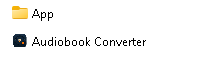
Files Inside The Zip:
Homepage: https://apps.microsoft.com/detail/9n9v52v5mxxv?hl=en-US&gl=US
Unzip, Run & Enjoy, No activation or installation required / Instruction is Included in the folder!

Size: 546MB