


Microsoft Office LTSC 2021 Pro Plus | Multilingual | 64bit | Auto Activation
Microsoft Office LTSC 2021 Pro Plus – Standard + Visio + Project v2108 Build 16.0.14334.20756 (x64) Multi RePack [FTUApps]
Microsoft Office 2021 is a new office suite from Microsoft Corporation, which includes not only advanced features that help users work as productively as possible, but also effective management solutions, as well as a more comprehensive approach to security. Traditionally, it includes such applications as Word, Excel, Outlook, PowerPoint, SharePoint. The latest version of the office boasts an updated design, increased stability, performance and the emergence of a lot of interesting innovations. For example, in the new version of Excel, the developers have made a number of new formulas and graphs for more convenient analysis and display of data. PowerPoint has advanced visual animation capabilities using functions such as morphing (Morph) and scaling (Zoom).
Standard + Visio + Project, Etc!
General Information:
Version: 2108
Build: 16.0.14334.20756
Languages: Russian, English, Ukrainian + Office LP Integrator
Treatment: Not required, Just install, Automatic
Activation: Cured/AAct activator from Ratiborus, MAS
Extensions: Office Tab Enterprise
Command line: RePack features mentioned in Readme.txt
Recommendation: For successful activation, it is recommended to disable your antivirus software.
Notes: On the installer page, install free adware is ticked. Be sure to uncheck the box.
Changes in the assembly:
– [2026.06.09]
– Updated: Office 16.0.14334.20756
Operating System:
– Windows 10, 11 (64bit)
Screenshots:


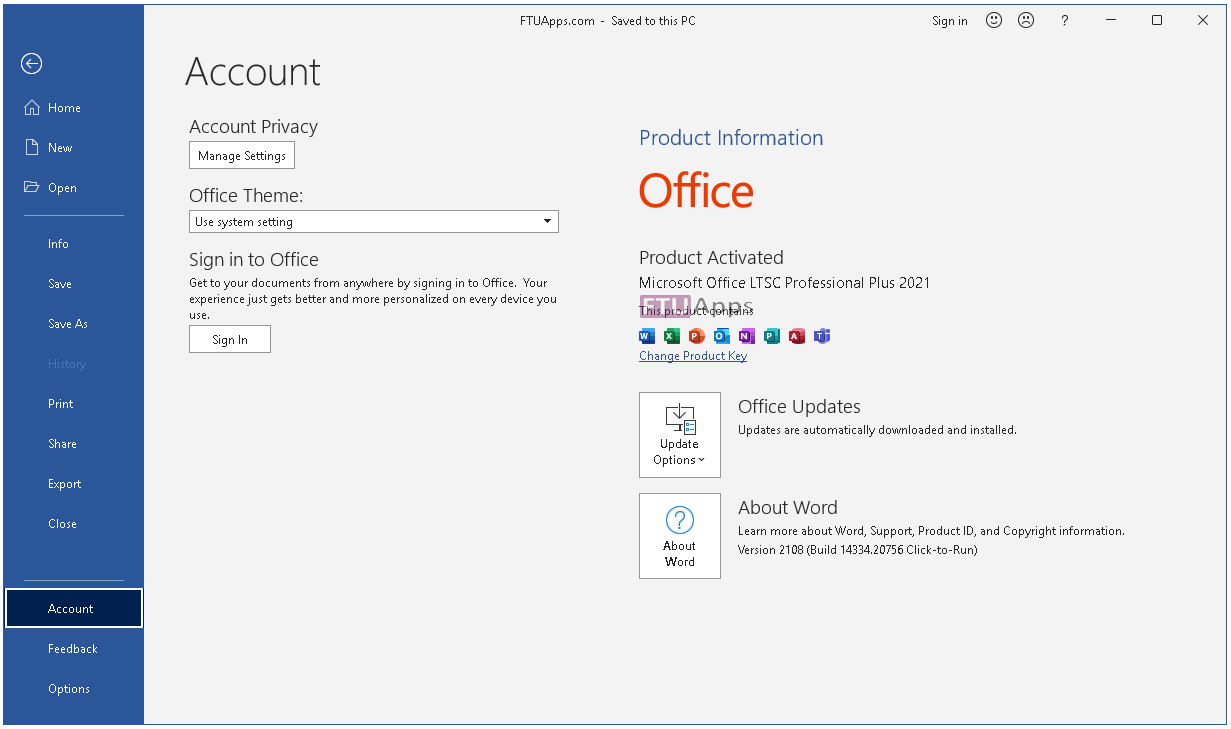
Homepage: https://www.microsoft.com/
Run Autorun, make selection, Install & Enjoy, No activation is required / Brief Instruction is Included in the folder!
AUTORUN

Size: 2.20GB





Do you have to uninstall previous version of office or can it be installed over top of an exiting install
You can overwrite but we do not prefer doing it, So, uninstall and install this one as fresh.
Make sure, if you have installed previous Office via the same installer, then force remove office using it, do not use unimstall option.
I tried it to install. while installing i did everything as per the written steps. after installing when the pop up came again in the Utilities and settings I ticked on the option below KMS. then the pop up disappeared. i opened ms word(fine), project(fine) and others are fine except MS excel. when i was opening excel it kept showing a window then excel opens and closes immediately after 4 to 5 seconds. i restarted my laptop. but it kept happening. so i uninstalled it.
I tried to reinstall it, but after the first loading page the pop up where we have to choose the apps is not coming. i have tried it multiple times, it loads and after that no pop up is coming. HOW CAN I SOLVE THIS?
Installer contains built-in KMS tools and Cracks, so, Allow the .exe via AV to let it run without being caught by your AV, else, Disaable AV and install first, and afterward Exclude the .exe via AV, there is no harm in case you or anyone allows it, it’s false-positive and marked as well at VT official page.
And, there is no need to manually tick KMS from utilities, it’s checked by default, all you have to do is to select 2021 Volume or 2024 Volume as shown in the screenshots, and Install.
Lastly, if you go through ”Readme” Instructions, I highly mentioned >> DO NOT UNINSTALL, Use >> FORCE REMOVE << Option to wipe Office and re-install, kindly follow the above steps along this one to redo. Good luck!
I made the mistake already and after installing its not coming up with the window where can choose versions. what can i do now?
I said, Follow the instructions, Force remove, Reboot, redownload, install again. The current installer wouldn’t work as it has been under registry inside the OS, wipe the current and install as fresh, root the directory this time, save the downloaded office into another Drive/folder before running it.
bien le merci à vous pour l”application, elle fonctionne à merveille, l’installation a ete simple et rapide.
Merci
Thanks a bunch buddy, means a lot to us to help you enjoy worthy apps for free 🙂